
Setting a maximum width
By default the width of the snippet blocks attempt to stretch to the full width of the content area, but you can set a max-width to restrict how wide it goes.
You can set a max-width within the Style Modals spacing tab.
Why max-width and not width?
With content needing to work on mobile, setting a fixed width property could cause issues.
How to set a max-width
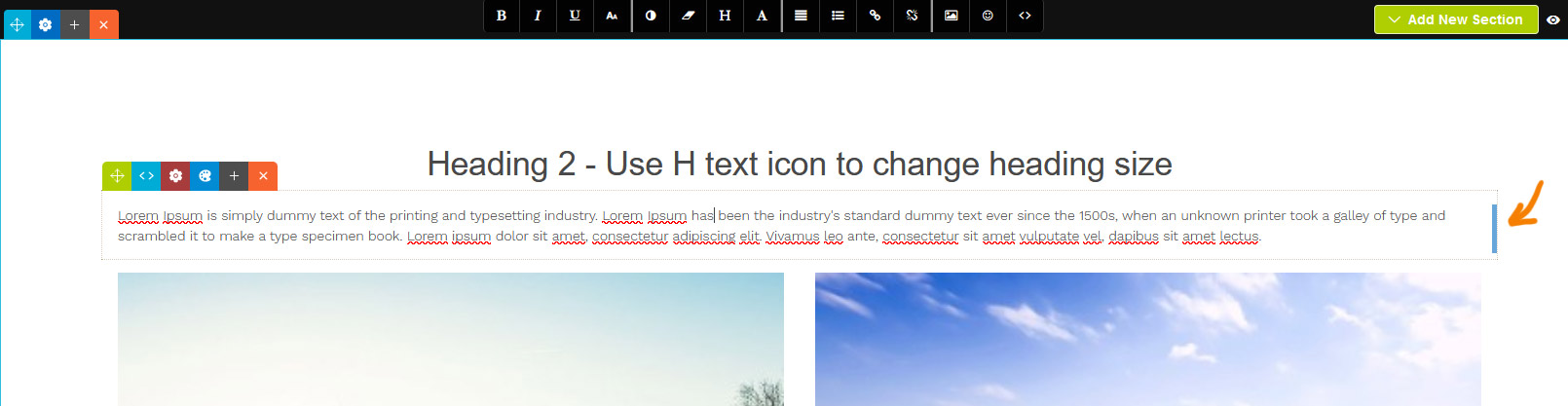
You can drag-resize the content by clicking and dragging the handle that appears in the right of the snippet block when selected.
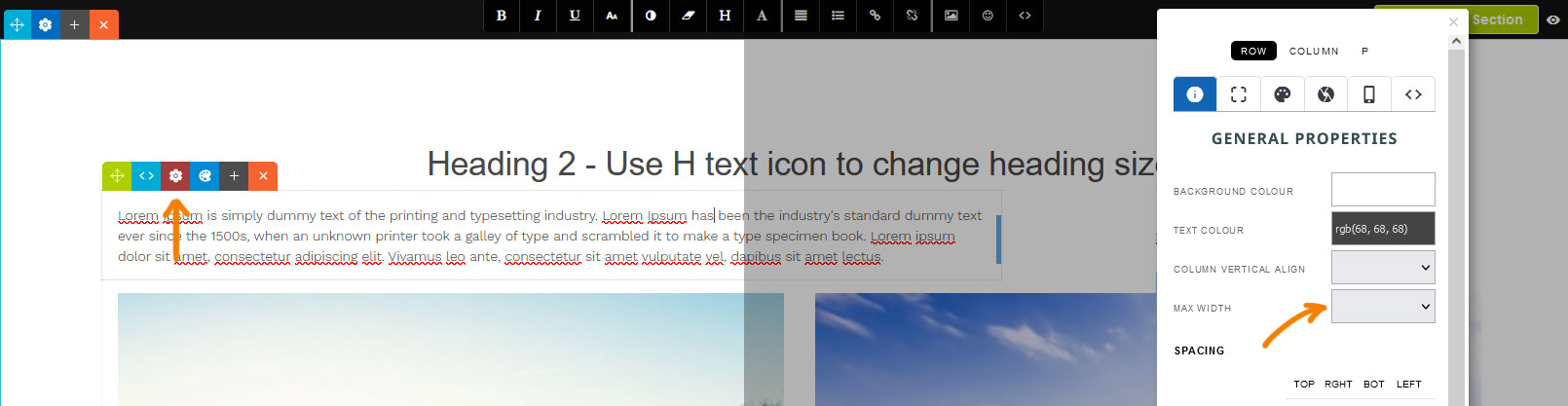
You can set also a specific max-width by clicking the RED COG ICON which will launch the style modal. From there select a value from the MAX WIDTH dropdown on the properties tab.
Aligning the snippet block
Aligning via dragging the snippet block
Using the Green Drag Icon at the top-left you can choose to align the snippet left, right or center by dragging it horizontally.
Aligning via the Style Editor popup

By default the snippet will be left-aligned, but you can center the snippet via the STYLE EDITOR as needed.

When a snippet block has a custom max-width set, an alignment option will be available on the properties tab.

The snippet block is now set to align center.
More From This Section
FAQ Topics
Building your site
- Pages
- Content Editor Modes Explained
- - DRAG DROP Editor (Default)
- - CONTENTBOX Editor (Advanced)
- - WORD STYLE Editor (TinyMCE)
- - LIVE Editor (Click to Edit Mode)
- Styling Content
- Images / Backgrounds
- Banners and Sliders
- Uploading content
- Design Templates
- Forms
- More Q & A
- Menus
- Mobile Styling and Optimisation
Advanced Page Types
E-Commerce
- Shopping Basics
- Product Pricing, Currencies
- Category Management
- Ngā Hua
- Product Options
- Layout and Formatting
- Ngā Kōwhiringa Utu
- Freight - Couriers
- Processing Orders
- Orders / Invoices
- Advanced Ecommerce
- Plugins
- Wholesale
- Bookings Management System
- Stock & Quantities
- Vouchers, Discounts, Loyalty Points
- Selling Photos / Prints
- Shopping Cart Add-on Page types
- Advanced APIs / Add ons
- Te Wāhi Hoko (POS)
- Reports
Email & Membership
- Member Management
- Members Pages / Template Customisations
- From Addresses and Reply To Email Notifications
- Global Enquiry form options
- Standard Field Names
- Webmail
- Bulk Email
- CRM Features
- Email Campaigns
- Forums & Blogs
- Pop3/Imap Email Services
- Scams and Hoaxes
- Lead Magnets / Growing Your Customer Database
Promoting your site
Advanced
- Power User Options
- Form Spam Filtering
- Wordpress
- PHP Setup
- [TAGS]
- jQuery snippets
- Search External Links / Import external content
- HTML / CSS Snippets
- Embedding Web Fonts
- Loading additional Material Symbols styles
- FAQ Help Map
- Uploading local font files
- Advanced Template Customisation, CSS, etc
- Languages and Translations
- Importing Content from Another Platform
