
While the CMS provides an overview of recent traffic, you can check recent and historical monthly statistics for the site via the AWSTATS reporting option.
Theses are statistics taken direct from our server traffic and may report differently from website/plugin based options such as Google Analytics. With both approaches you are looking for changes over time for each tool, not a comparison.
To view detailed monthly statistics.
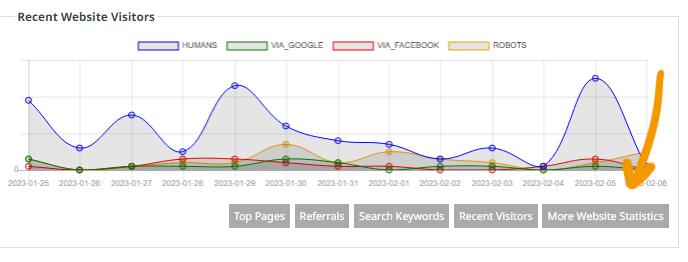
On the Welcome page when logged in, Click the MORE WEBSITE STATISTICS button, found under Recent Website Visitors.
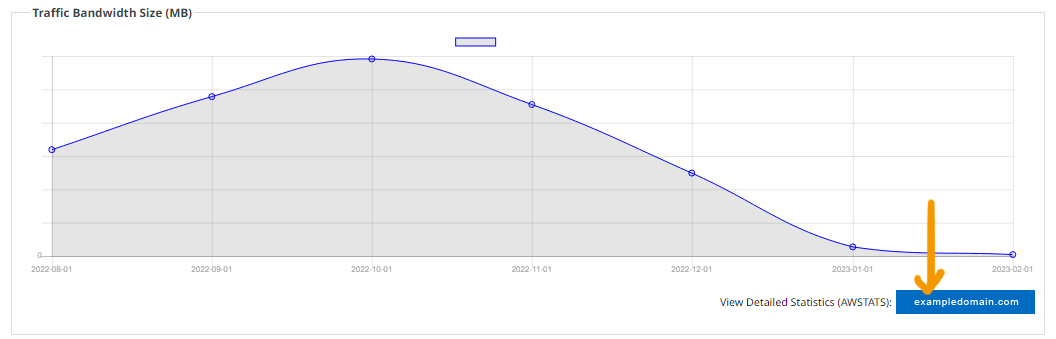
From there find the VIEW DETAILED STATISTICS (AWSTATS) button
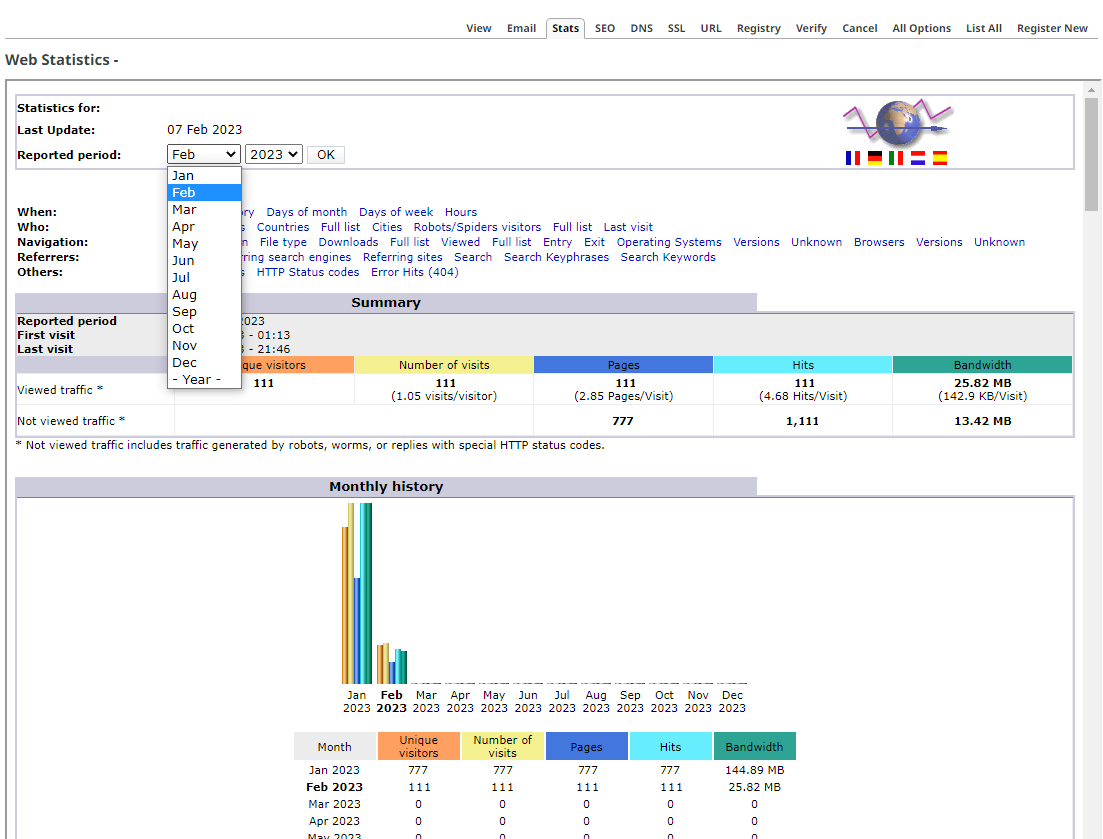
From there you will be able to choose the month / year to view detailed statistics.
If you scroll to the very bottom, under Tool Tips, you can set an email address and a frequency for these emails to be sent to you.
More From This Section
FAQ Topics
Building your site
Advanced Page Types
E-Commerce
- Shopping Basics
- Product Pricing, Currencies
- Category Management
- Products
- Product Options
- Layout and Formatting
- Payment Options
- Freight - Couriers
- Processing Orders
- Orders / Invoices
- Advanced Ecommerce
- Plugins
- Wholesale
- Bookings Management System
- Stock & Quantities
- Vouchers, Discounts, Loyalty Points
- Selling Photos / Prints
- Shopping Cart Add-on Page types
- Advanced APIs / Add ons
- Point of Sale (POS)
- Reports
Email & Membership
Promoting your site
Advanced
- Power User Options
- Form Spam Filtering
- Wordpress
- PHP Setup
- [TAGS]
- jQuery snippets
- Search External Links / Import external content
- HTML / CSS Snippets
- Embedding Web Fonts
- Loading additional Material Symbols styles
- FAQ Help Map
- Uploading local font files
- Advanced Template Customisation, CSS, etc
- Languages and Translations
- Importing Content from Another Platform
