
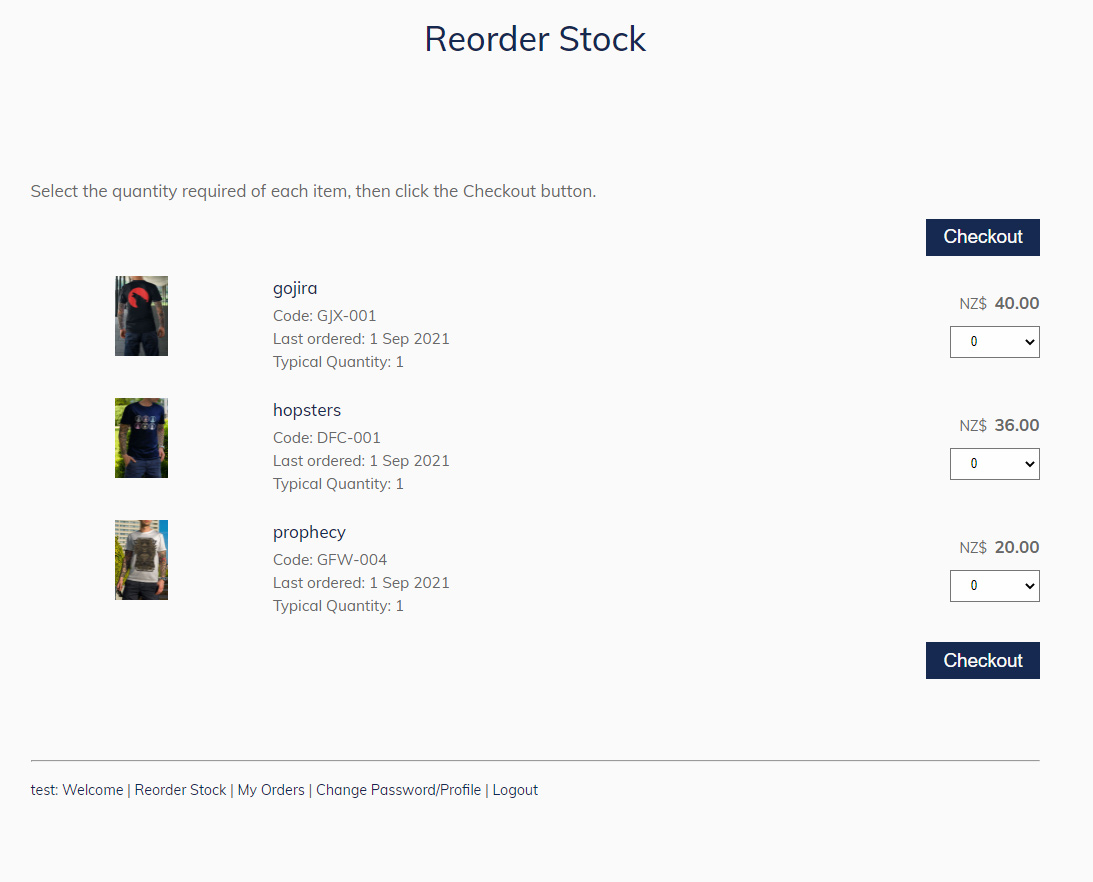
To add a Reorder Stock page.
- Go to WEB PAGES and add a new page
- In the Ecommerce and Shopping group, choose SHOPPING ADD ONS
- Add the REORDER STOCK page.
It is required that this page is password protected to a level of General Member or higher.
You can either make this a password protected page in the main menu, which will provide it's own login box.
Or you can hide it from the main menu, include in the members menu, and then provide a general purpose login box on your website template, or in the menu.
More From This Section
Yes you can sell to wholesale customers (as well as retail customers) from the same website.
You can disable the showing of an RRP / Savings info when wholesale pricing is less than retail.
Allow your wholesalers to quickly reorder from previous purchases with this member-only page.
With the Stock Sync Multi Site plugin you have the option to sync product information between multiple ecommerce websites by product code between sites by setting one to be a master website.
There is an ECOMMERCE > TAX display setting to show pricing excl gst for trade users
FAQ Topics
Building your site
Advanced Page Types
E-Commerce
- Shopping Basics
- Product Pricing, Currencies
- Category Management
- Products
- Product Options
- Layout and Formatting
- Payment Options
- Freight - Couriers
- Processing Orders
- Orders / Invoices
- Advanced Ecommerce
- Plugins
- Wholesale
- Bookings Management System
- Stock & Quantities
- Vouchers, Discounts, Loyalty Points
- Selling Photos / Prints
- Shopping Cart Add-on Page types
- Advanced APIs / Add ons
- Point of Sale (POS)
- Reports
Email & Membership
Promoting your site
Advanced
- Power User Options
- Form Spam Filtering
- Wordpress
- PHP Setup
- [TAGS]
- jQuery snippets
- Search External Links / Import external content
- HTML / CSS Snippets
- Embedding Web Fonts
- Loading additional Material Symbols styles
- FAQ Help Map
- Uploading local font files
- Advanced Template Customisation, CSS, etc
- Languages and Translations
- Importing Content from Another Platform
