
Heres how to get FTP access to your account using Mozilla Firefox.
Note: Your website status needs to be in "WIP" (Work in progress) mode... contact your web host to ensure this
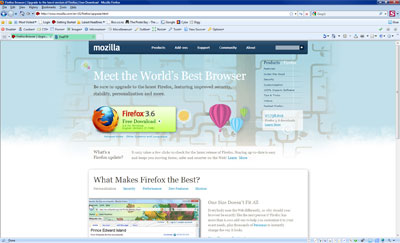
- If you do not have Mozilla Firefox then you can download it here | What is Mozilla Firefox?
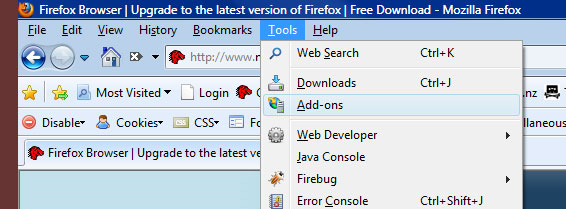
- You will also need the Addon FireFTP, If you do not already have this addon then you can get it by clicking on your tools drop down in the main menu and then selecting the Add-ons link
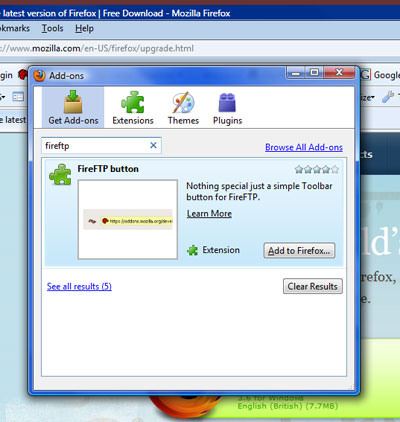
- From the pop up window search for FireFTP and when it has loaded in the list click the 'Add to firefox' button
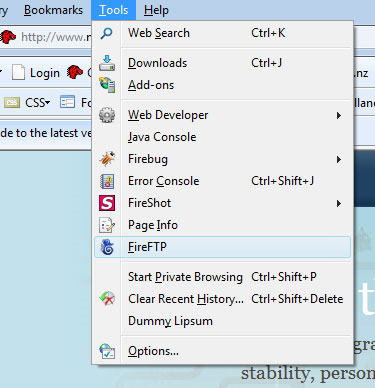
- Once the add on has been installed you can access it from the tools drop down
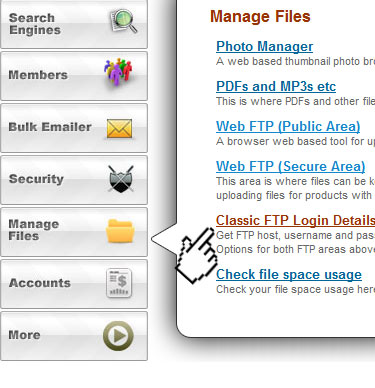
- Once you have FireFTP open in firefox you will need your login details... login to your website and select 'Classic FTP Login Details' from the "Manage Files" popout
 .
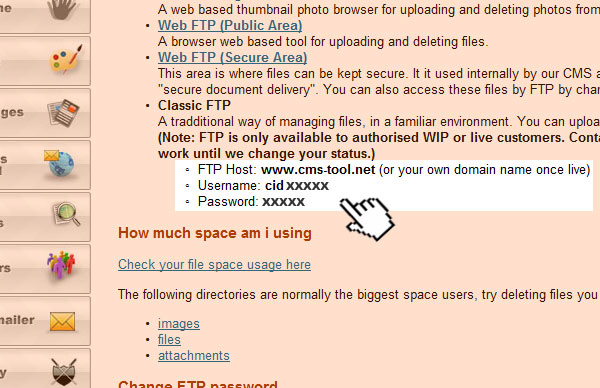
. - From the window that opens take note of the details shown in image below, these details will be specific to your web space - Note: www.cms-tool.net is what you use if you dont have a domain name.
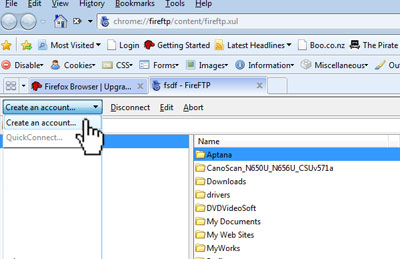
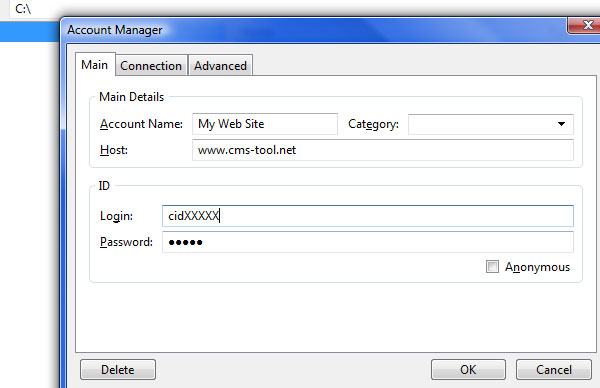
- Back in firefox click on the dropdown and select create account and from the popup window that appears enter your FTP details in the appropiate boxes and press ok.
- Thats it, connect and manage your files
More From This Section
You can quickly link to videos with a video snippet block.
How can your site visitors see your video?
Here is a tutorial for how to upload large files like music files etc (eg over 1 megabyte)
If you have Mozilla Firefox installed then you might want to consider using it for FTP access...
How to Upload and link to a PDF or another document
FAQ Topics
Building your site
Advanced Page Types
E-Commerce
- Shopping Basics
- Category Management
- Products
- Product Options
- Layout and Formatting
- Payment Options
- Processing Orders
- Advanced Ecommerce
- Product Pricing, Currencies
- Plugins
- Wholesale
- Bookings Management System
- Freight - Couriers
- Stock & Quantities
- Vouchers, Discounts, Loyalty Points
- Selling Photos / Prints
- Shopping Cart Add-on Page types
- Advanced APIs / Add ons
- Point of Sale (POS)
- Reports
- Orders / Invoices
Email & Membership
Promoting your site
Advanced
- Power User Options
- Form Spam Filtering
- Wordpress
- PHP Setup
- [TAGS]
- jQuery snippets
- Search External Links / Import external content
- HTML / CSS Snippets
- Embedding Web Fonts
- Loading additional Material Symbols styles
- FAQ Help Map
- Uploading local font files
- Advanced Template Customisation, CSS, etc
- Languages and Translations
