
Pausing a Mailout
An active mailout in progress will have a PAUSE / STOP button on the left-hand side, which can be used to pause the mailout, allowing you to make changes to the email or add/remove recipients.
Clicking the EDIT CONTENT button will pause the mailout and take you directly to the newsletter to change content.
Clicking ADD RECIPIENTS will allow you to add new recipients to the mailout. Adding recipients will pause the mailout, requiring a manual restart.
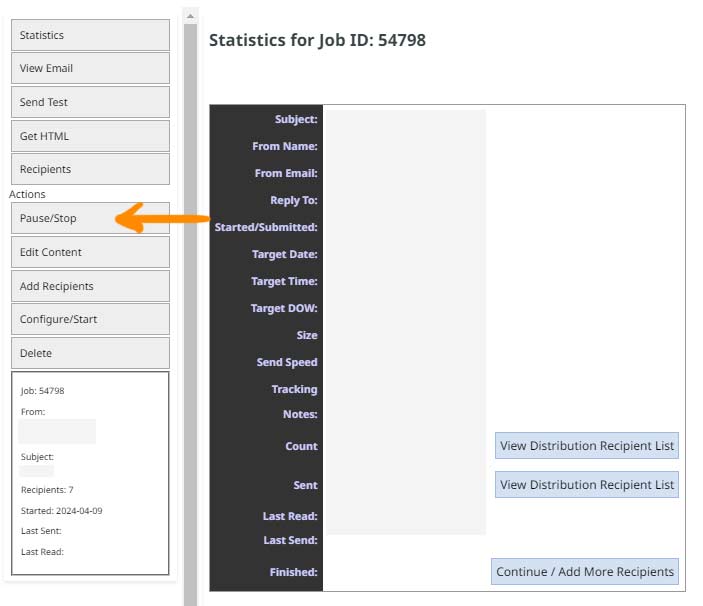
The PAUSE / STOP button can be found on the left-hand side of the job progress page.
Restarting the mailout
Once you are ready to restart the mailout you can click the CONFIGURE/START button to restart the process from where it left off.
It will take you to the job recipient page, where you can make changes to the sending rules or add remove recipients.
Restarting the mailout will not resend emails to those who have received them.
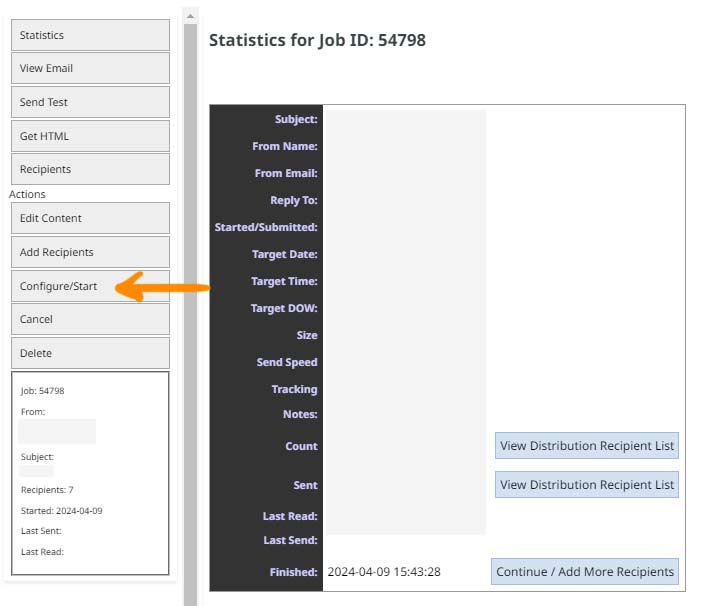
Cancelling the mailout
A job that has been paused will have an option available to cancel the mailout completely via the CANCEL button found underneath the Configure / Start button.
Deleting a mailout
Pressing the DELETE button will remove the job and mail content completely when pressed - there is no warning to confirm.
More From This Section
FAQ Topics
Building your site
Advanced Page Types
E-Commerce
- Shopping Basics
- Product Pricing, Currencies
- Category Management
- Products
- Product Options
- Layout and Formatting
- Payment Options
- Freight - Couriers
- Processing Orders
- Orders / Invoices
- Advanced Ecommerce
- Plugins
- Wholesale
- Bookings Management System
- Stock & Quantities
- Vouchers, Discounts, Loyalty Points
- Selling Photos / Prints
- Shopping Cart Add-on Page types
- Advanced APIs / Add ons
- Point of Sale (POS)
- Reports
Email & Membership
Promoting your site
Advanced
- Power User Options
- Form Spam Filtering
- Wordpress
- PHP Setup
- [TAGS]
- jQuery snippets
- Search External Links / Import external content
- HTML / CSS Snippets
- Embedding Web Fonts
- Loading additional Material Symbols styles
- FAQ Help Map
- Uploading local font files
- Advanced Template Customisation, CSS, etc
- Languages and Translations
- Importing Content from Another Platform
