
To build your Contentbox page add preset snippet blocks to the page then change the text and images to your own content.
Contentbox pages can also have different backgrounds, background images and section heights.
The Contentbox editor has two main areas - Section & Content

Section Area
Affect the outer container, height, background image, padding etc
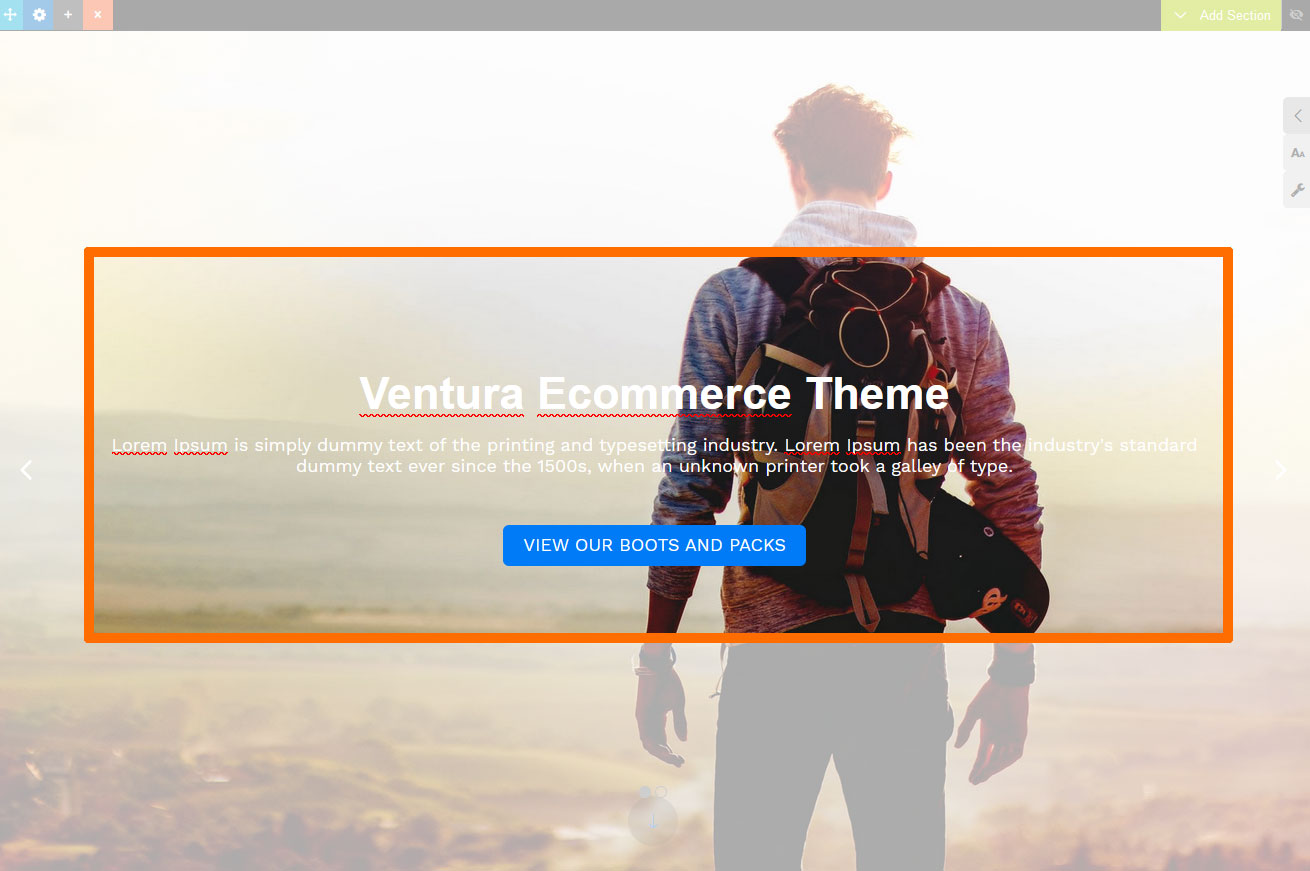
Content Area
Affect the inner content where the snippet blocks are added - content width, background colour, alignment etc.
Editing your Contentbox Section
Adding content to a Contentbox Section
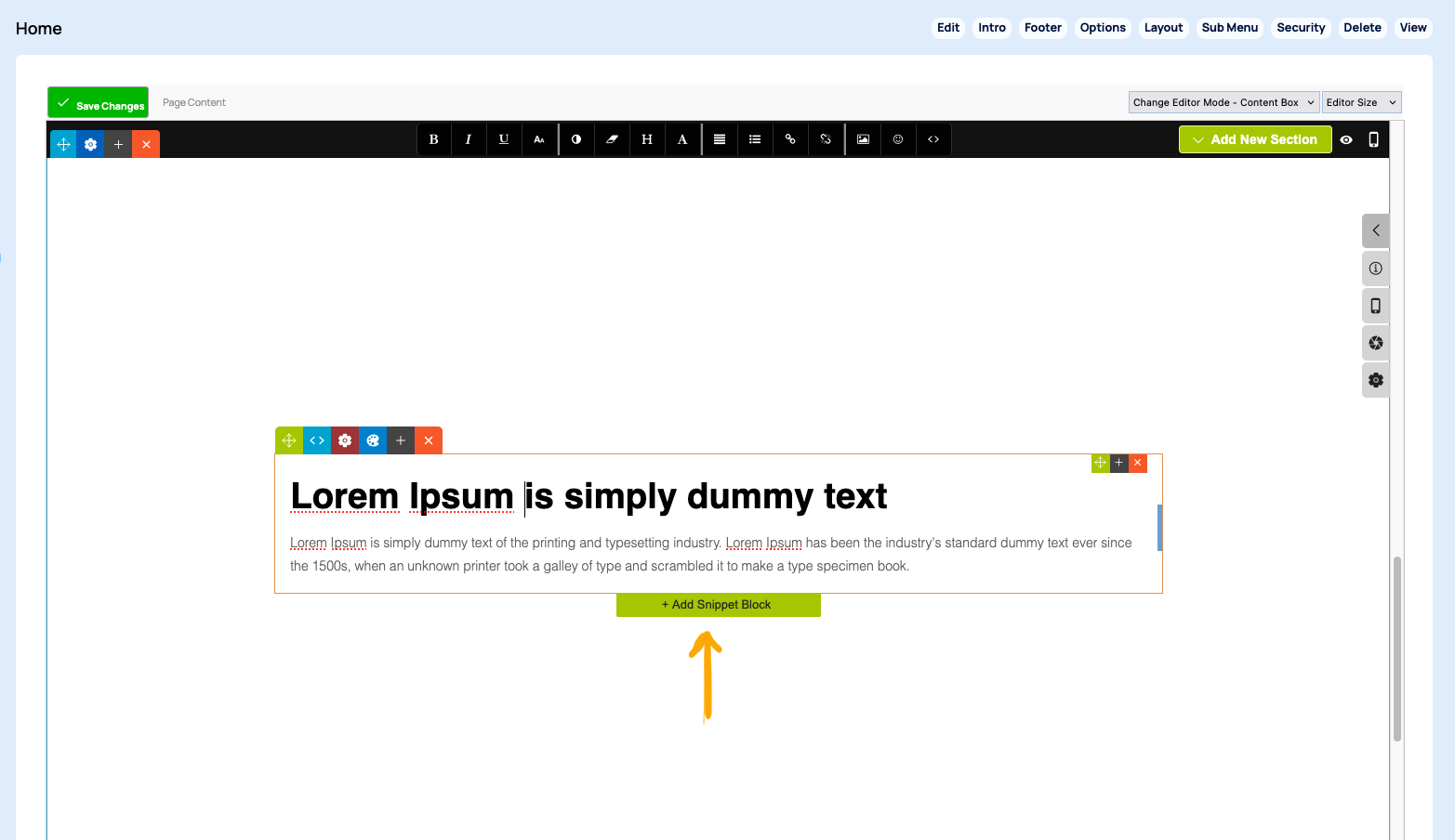
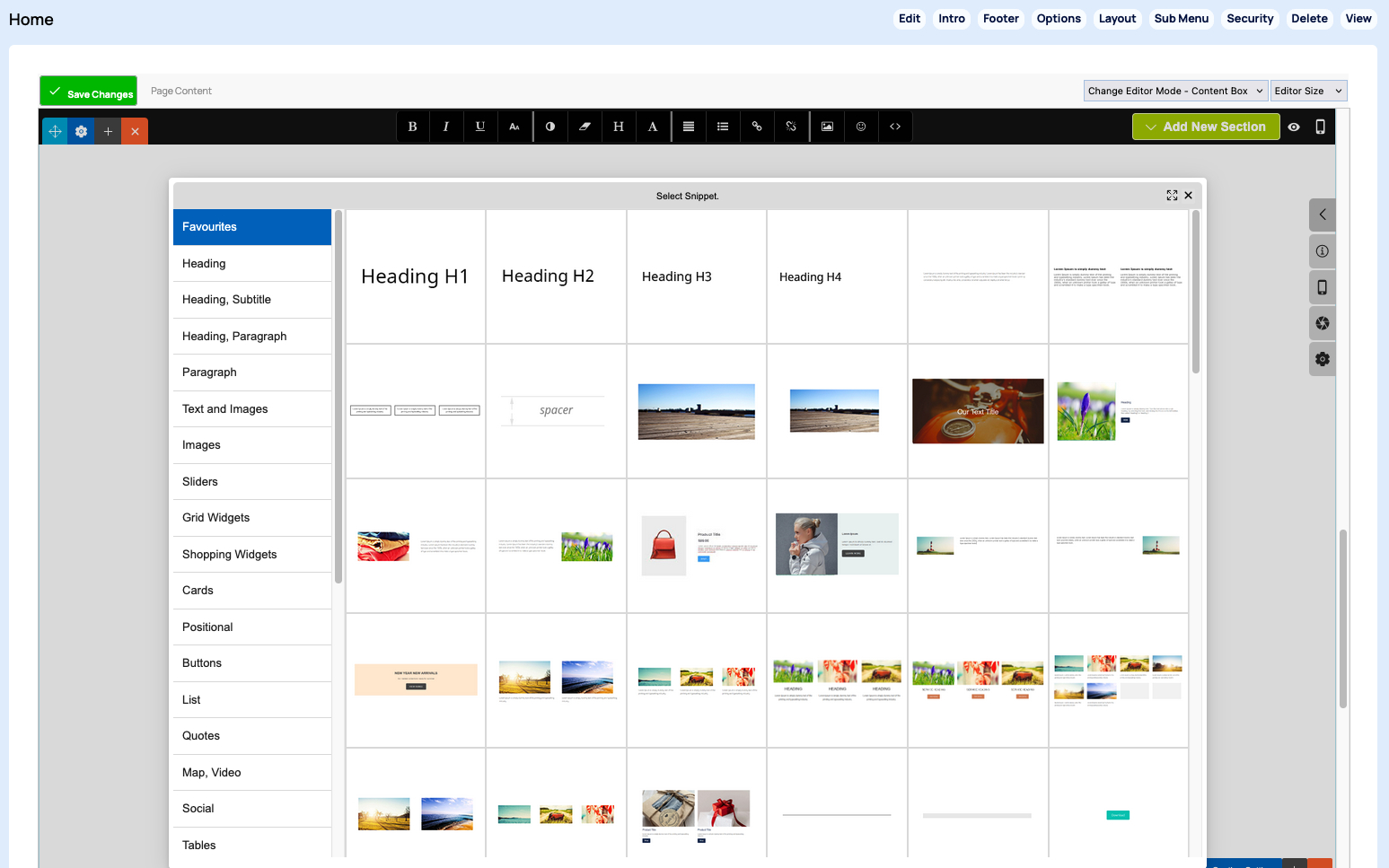
Click into an existing snippet block to bring up the ADD SNIPPET BLOCK button, or click and drag the content snippets into the page area from the right hand snippet sidebar.
Adding a new Section
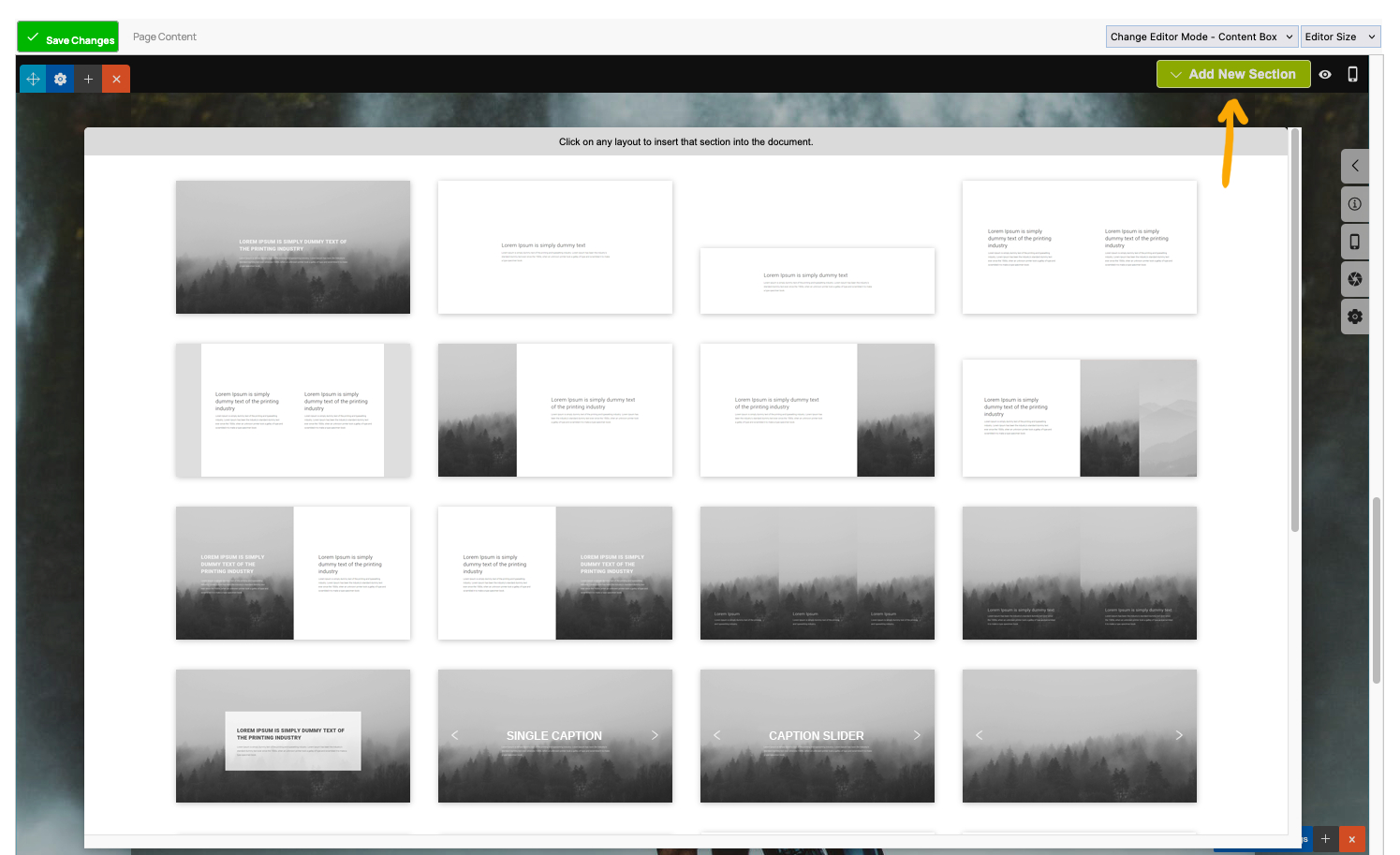
Click the + ADD SECTION button top right when editing a section, then choose the section layout required from the popup.
Changing the Section Background image
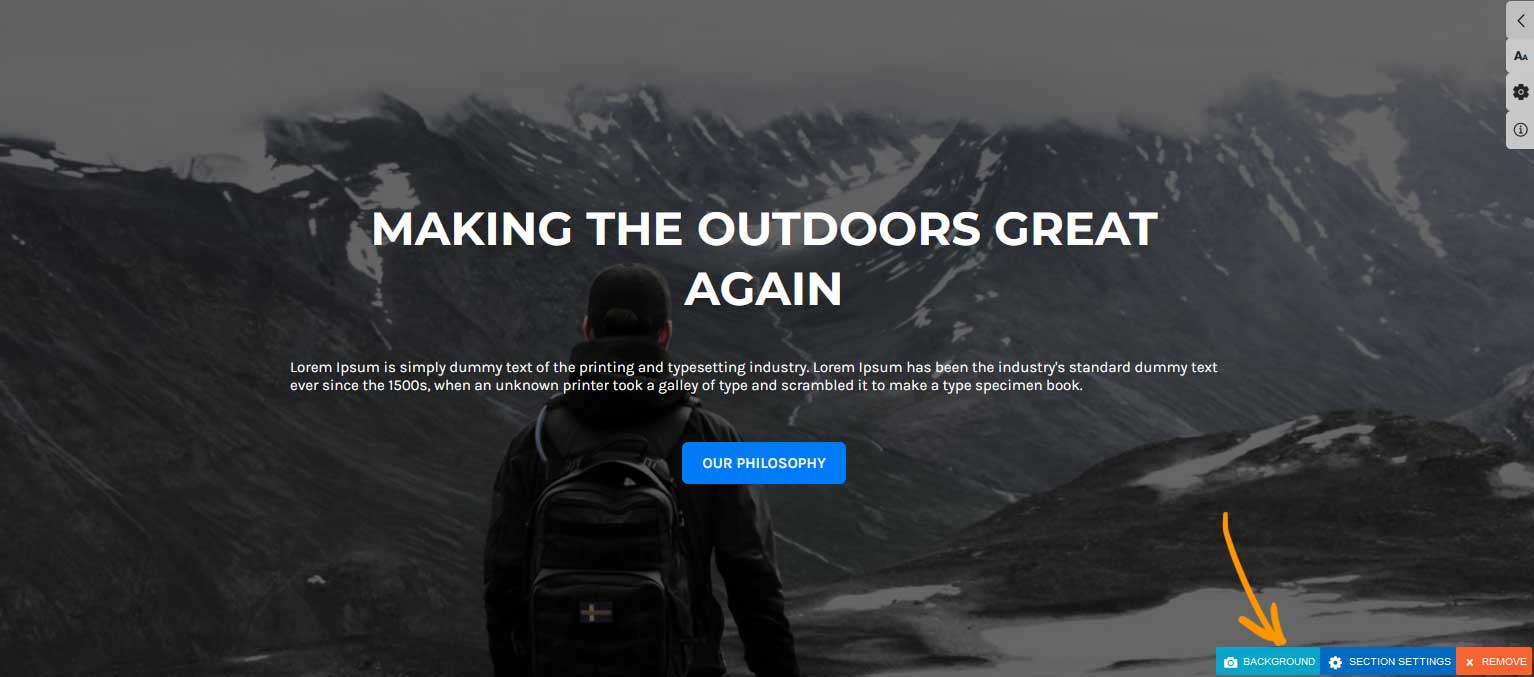
If your Section already has a Background Image
Click the BACKGROUND button at the bottom of the section.
If adding a Background Image
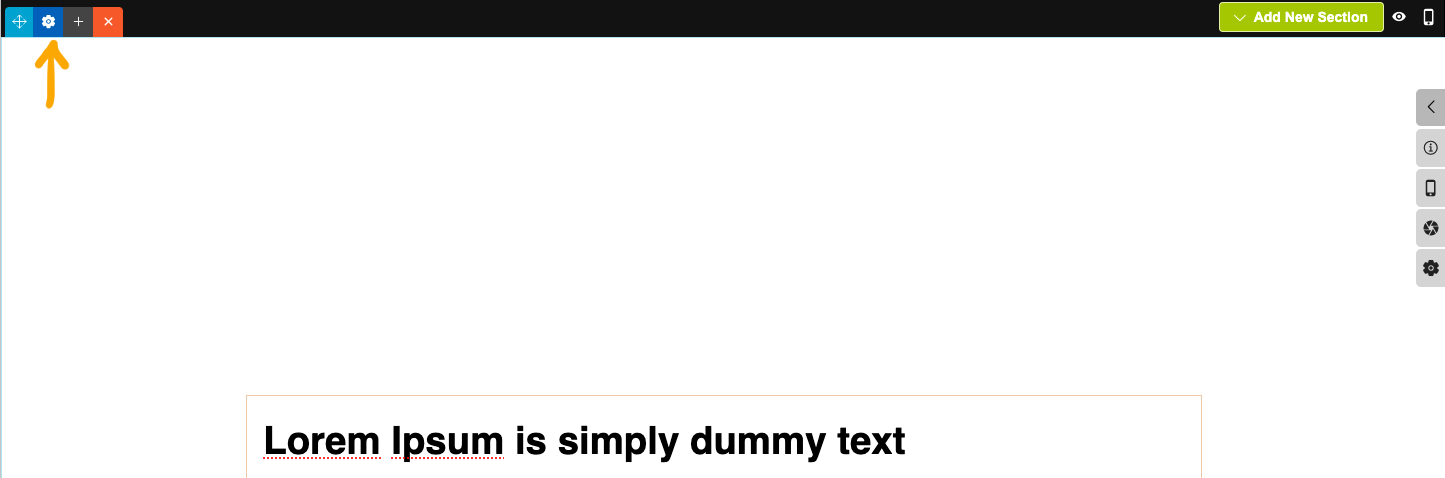
Click the section settings cog icons, either at the top-left or the bottom right to bring up the Contentbox settings popup window.
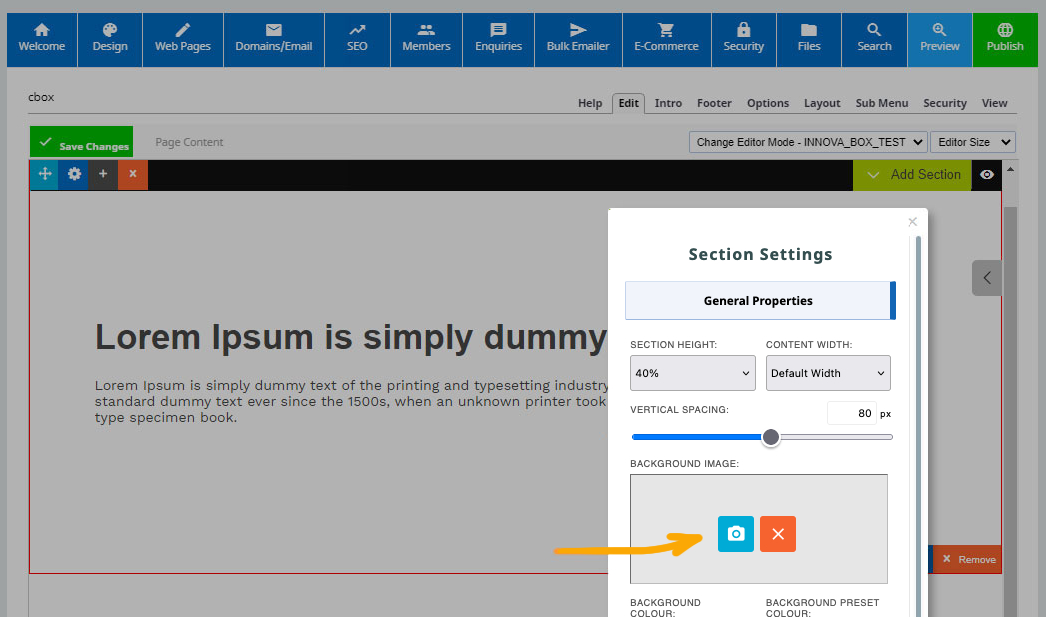
Launch the settings modal as per the above instructions then click the blue camera icon under BACKGROUND IMAGE to launch the image wizard.
Changing the Section Background colour
Click the section settings cog icons at the top-left to bring up the Contentbox settings popup window.
Launch the settings modal as per the above instructions then click BACKGROUND COLOUR field to launch a colour picker, or paste in a colour value.
Setting the Section Height.
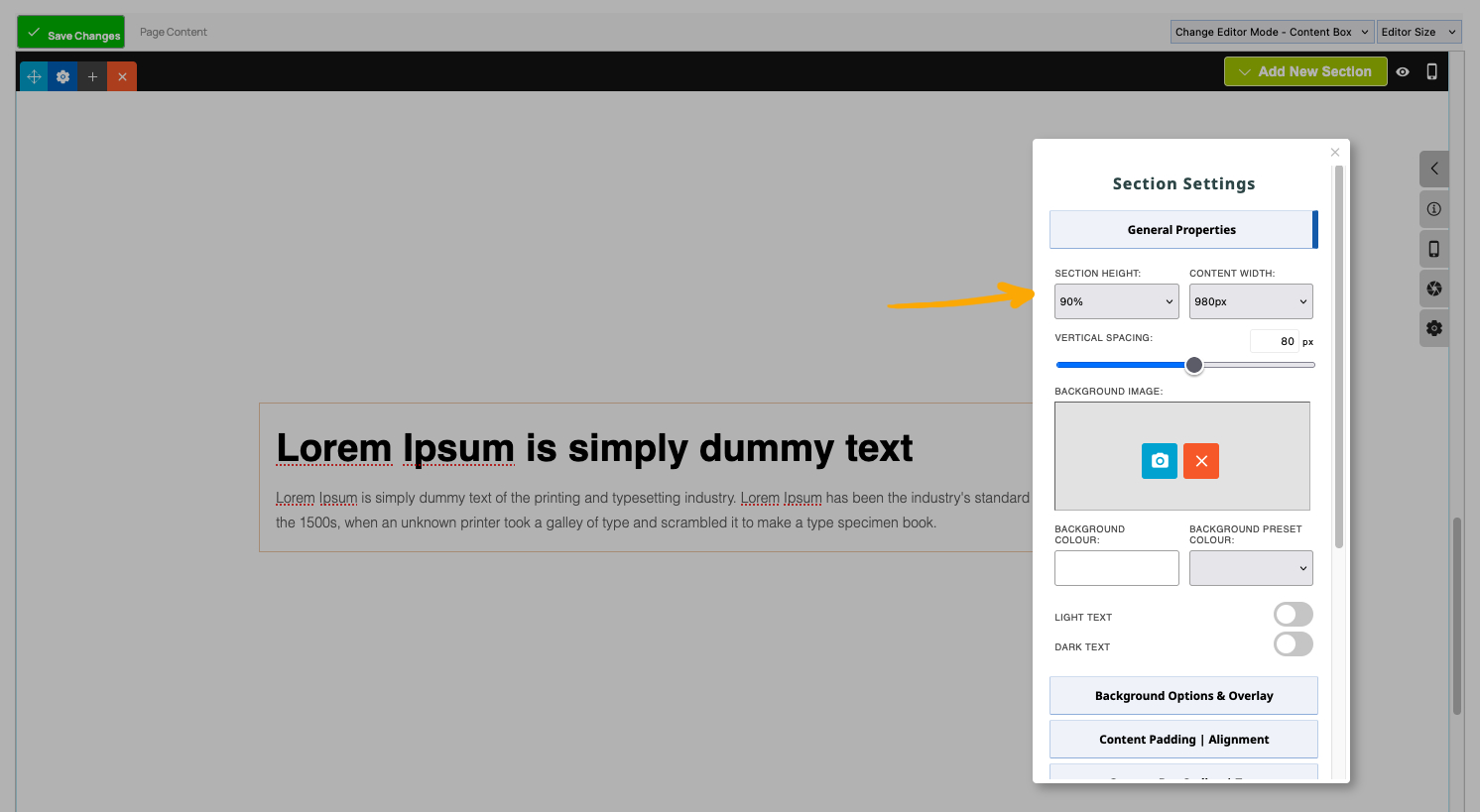
Click the section settings cog icons to bring up the Contentbox settings popup window.
From the settings that appear, choose a Section Height from the GENERAL PROPERTIES dropdown.
Click into the BACKGROUND COLOUR setting to bring up the colour picker.
Setting the Content Width
Click the section settings cog icon at the top-left to bring up the Contentbox settings popup window.
From the settings that appear, choose the Content Width from the GENERAL PROPERTIES dropdown.
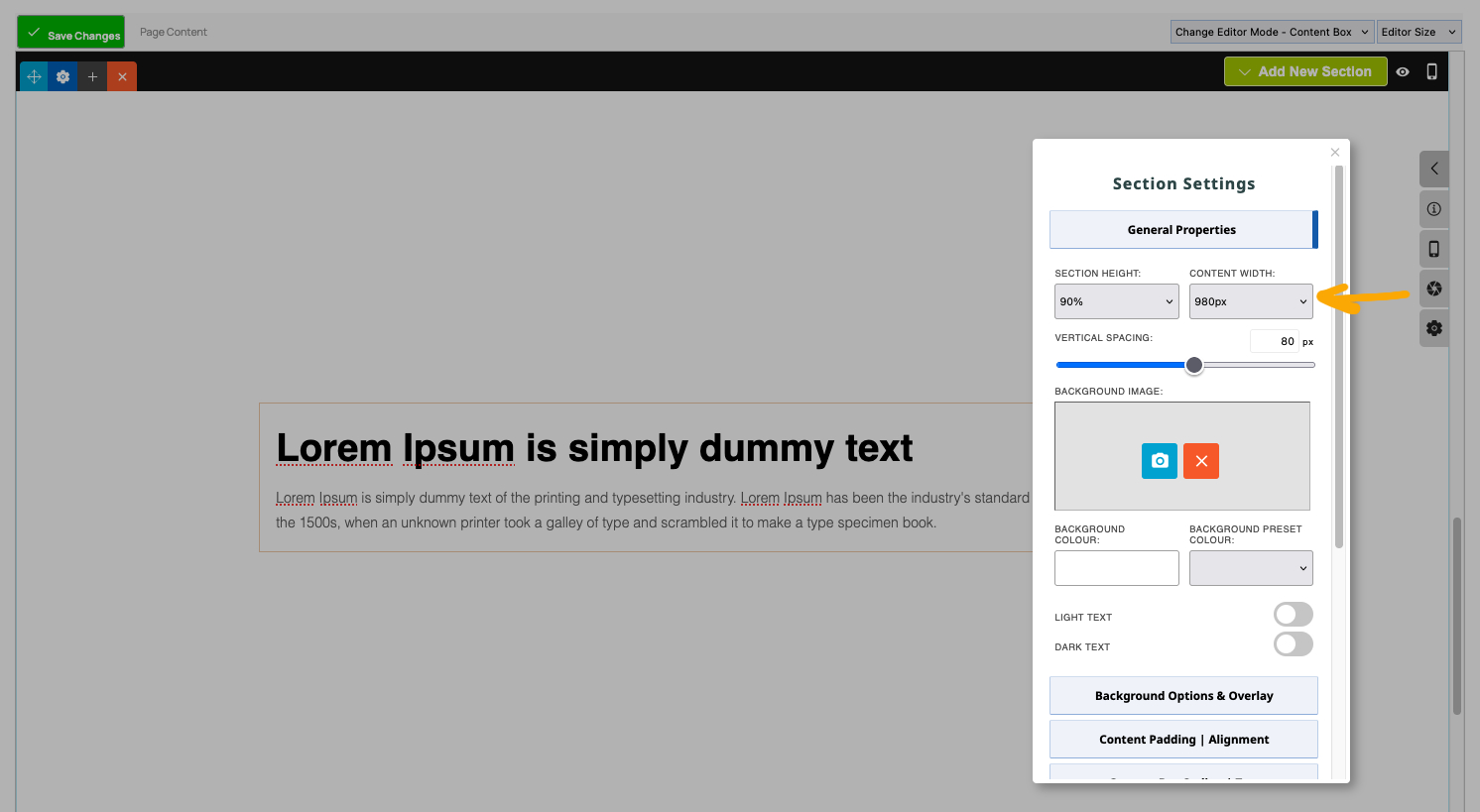
Special Content Width settings
Default Width - Applies the max-width as set in the template.
Full Width - Sets the content to full width of the browser, but allows some spacing on the left and right edge.
Max Width - Sets the content to full width of the browser, no padding.
Changing the Padding above and below the Content
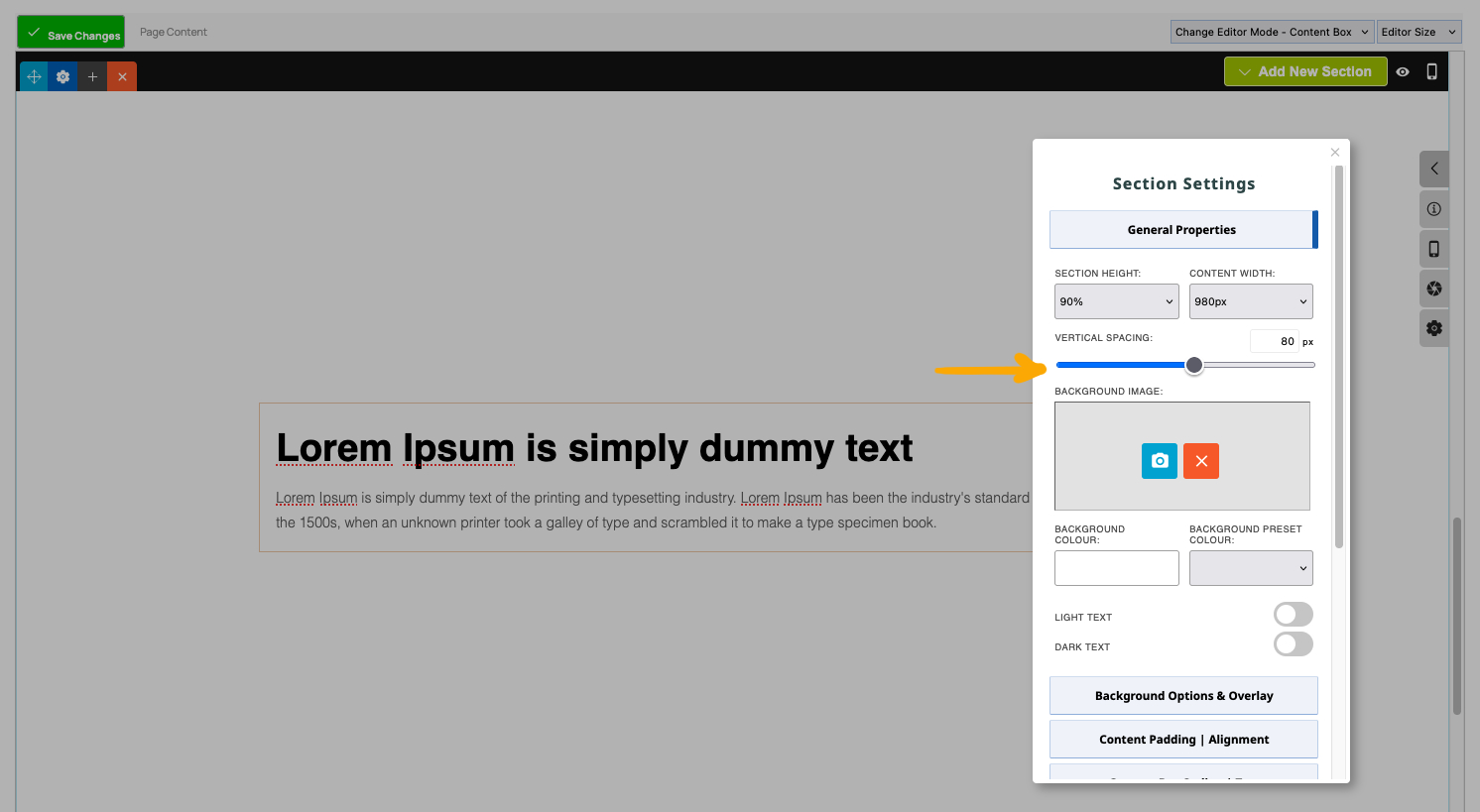
Click the section settings cog icon at the top-left to bring up the Contentbox settings popup window.
From the settings that appear, set the Vertical Spacing via the slider found in the GENERAL PROPERTIES dropdown.
A Section can have more than one Content Area
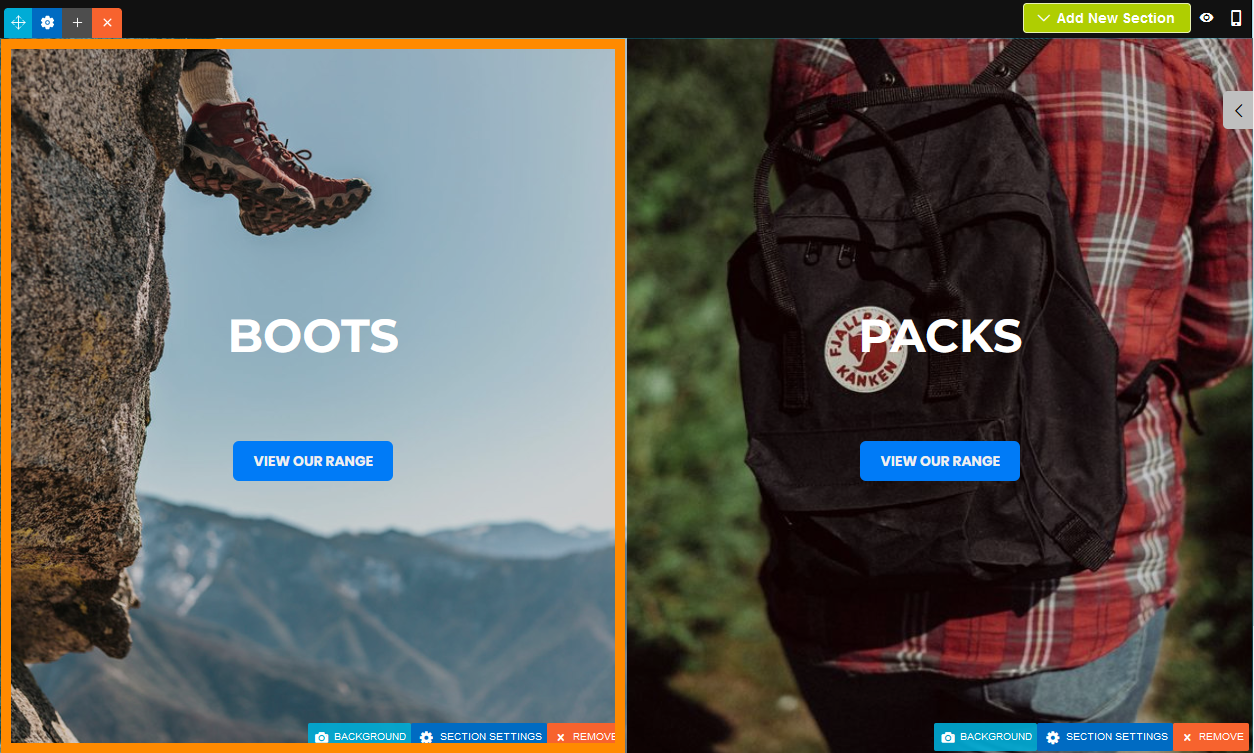
Two Section Column Layout
Each Section Column has its own background image, padding etc
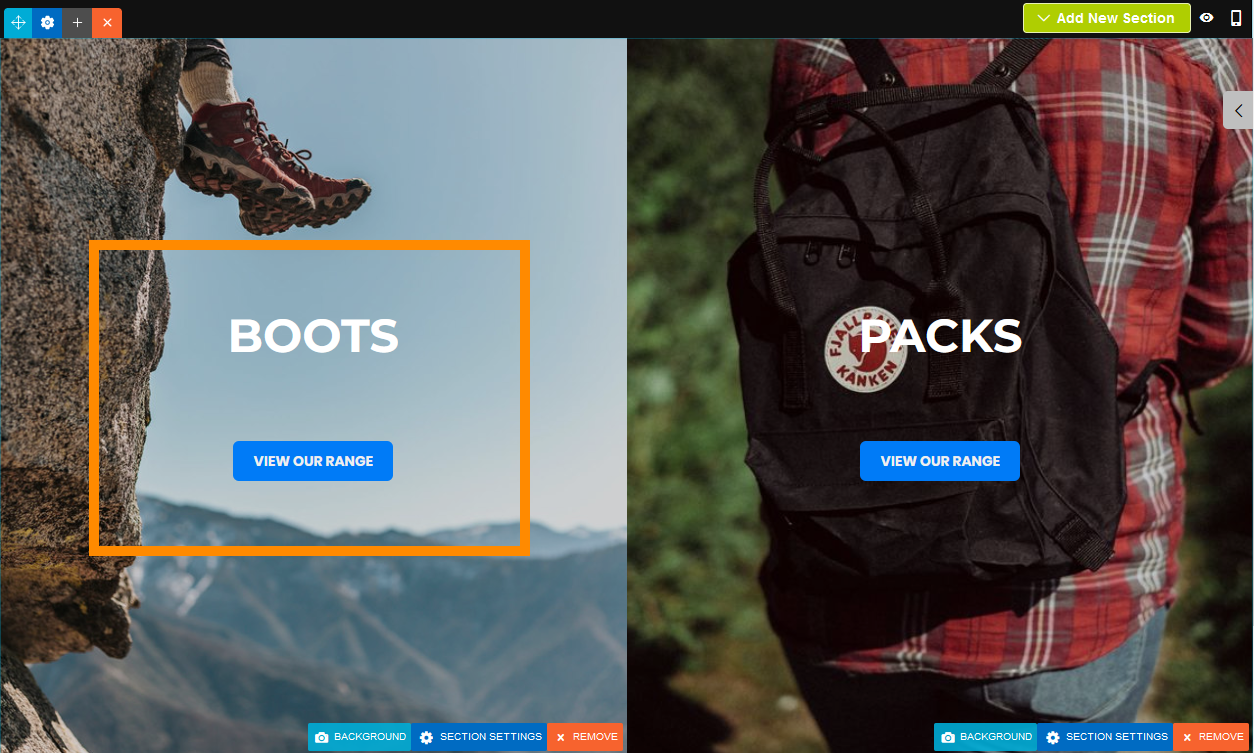
Each Section Column can have its own Content Area
As with the standard Section you can add background images, padding etc.
Changing the settings for the individual Section Column
To change the settings for an individual section column click the SECTION SETTINGS button at the base of the column.
You can also change settings for the section e.g. height, combined multi-column width in the settings cog at the top-left.

FAQ Topics
Building your site
Advanced Page Types
E-Commerce
- Shopping Basics
- Category Management
- Products
- Product Options
- Layout and Formatting
- Payment Options
- Processing Orders
- Advanced Ecommerce
- Product Pricing, Currencies
- Plugins
- Wholesale
- Bookings Management System
- Freight - Couriers
- Stock & Quantities
- Vouchers, Discounts, Loyalty Points
- Selling Photos / Prints
- Shopping Cart Add-on Page types
- Advanced APIs / Add ons
- Point of Sale (POS)
- Reports
- Orders / Invoices
Email & Membership
Promoting your site
Advanced
- Power User Options
- Form Spam Filtering
- Wordpress
- PHP Setup
- [TAGS]
- jQuery snippets
- Search External Links / Import external content
- HTML / CSS Snippets
- Embedding Web Fonts
- Loading additional Material Symbols styles
- FAQ Help Map
- Uploading local font files
- Advanced Template Customisation, CSS, etc
- Languages and Translations
